
We don't generate sounds. We find them.
Compete with AI Music.
Progress in Every Session.
Measure the Quality of Your Sessions
Example search:
What it does
- Search001
Find sounds faster
Describe a sound in your own words. AirGear finds it in your library. Less time digging, more time to finish more tracks.
- Log002
Every session adds up
Every search, every listen, every sound you drag into your DAW goes into your log. Over time, it shows how you're growing.
- Progress003
What growth looks like
You find keepers faster. Your searches get more specific as your ear develops. Your signature sound takes shape. You explore a wider range of sounds. You finish more tracks.
- You vs. you004
Measured against your past self
Your log compares you to your own past.
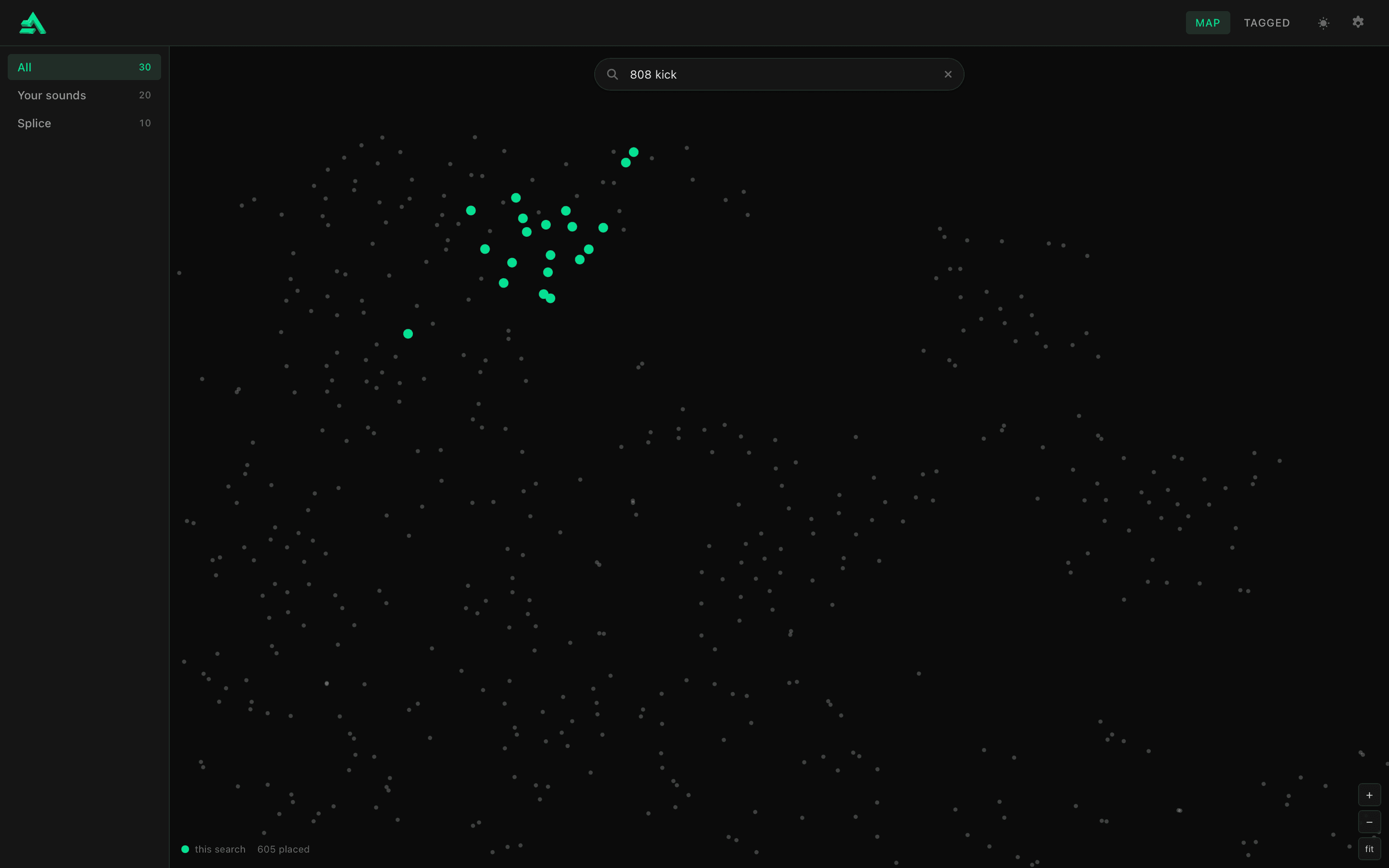
Your sound, laid out by how it sounds.
- Your library
Every sound, placed by how it sounds. Sounds that resemble each other sit together.
- This search
Where the answers sit in your library: one tight pocket, or scattered corners.
How It Works
- 01
Point it at your samples
Choose your sample folder. AirGear listens to everything in it and sorts it by kind.
- 02
Search in your words
Tag a few sounds you love. Then describe what you hear in your head, and AirGear finds it.
- 03
See your growth
Each sound you pick is logged. Watch your sound take shape, session by session.
Requirements
Platform
001macOS only, Windows coming soon.
Setup
002Point AirGear at your sample folder once. That's it.