Every save remembered. Sounds dug up while you work.
See how it worksSpend your time on the music — not on “Final_v7_REAL.als”, not on another hour in the sample browser
Get AirGearAirGear runs quietly in the background, watching your Ableton Live Projects folder. Every save gets snapshotted and diffed into a full history of the session — and sends AirGear digging through Splice for sounds that might suit what you're building.
Two Core Features
Every save is a version you can go back to
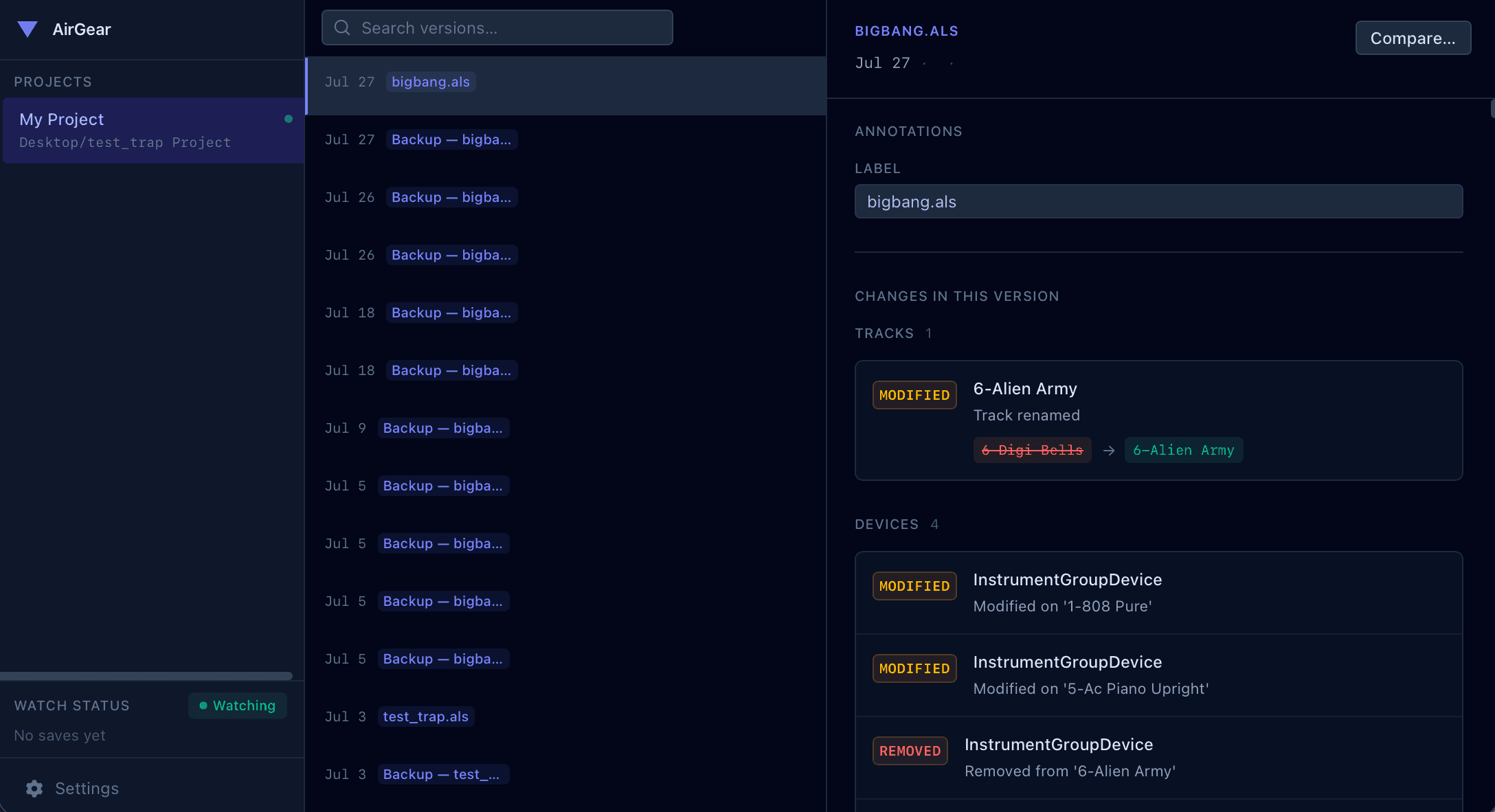
AirGear snapshots the .als file the moment you hit save and diffs it against the last one, so a session is no longer a single file you keep overwriting — it's a timeline you can read. See what you added on Tuesday, what you muted at 2am, and what the set sounded like three hours ago.
A crate that fills itself while you work
Every save hands the desktop app a fresh read of your project, and it goes digging through Splice in the background for sounds that might fit — loops around your key and tempo, drums that sit with what's already there. Nothing to trigger and nothing to wait on: keep writing, and the suggestions are there when you look.
How It Works
Background Watching
Monitors your Ableton Projects folder and detects every Save automatically — no plugin or DAW integration required.
Automatic Snapshots
Captures the full .als file the instant you save, then diffs each snapshot against the last to build a change log.
Change Tracking
Logs tracks added or removed, devices modified, tempo changes, clip edits and mixer moves. Browse the full history of a session.
Background Digging
Each save also kicks off a background job that searches Splice for sounds that might suit the set as it stands. It runs on its own time, so nothing interrupts the write.
Requirements
Platform
macOS, Windows and Linux.
Ableton Live
Requires Live 12 — no plugin installation needed.
Splice
A Splice account for sound suggestions. Version history works without one.
Setup
Point AirGear at your Projects folder once. That's it.